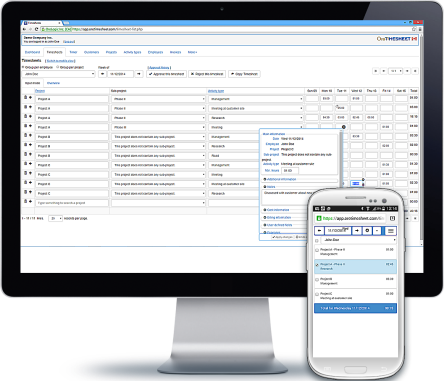
OroTimesheet is a time tracking software that allows you to easily track time worked by your employees on your projects.
Using our software, your employees can enter their time and their expenses, you can manage budgets per project, bill worked time as well as maintain employee time banks.
Some features of our web timesheet
100% web timesheet : OroTimesheet is a cloud-based application. You can enter your timesheets in OroTimesheet from a desktop computer, a tablet or a smartphone. OroTimesheet is always available, 24 hours a day, 7 days a week. You have nothing to install on your side. A simple internet connection is enough to use OroTimesheet.
Manage project costs and billing : In addition to tracking time per project, if needed, OroTimesheet allows you to manage costs and billing. Cost and billing rates can be customized per projet, per employee or using more complex cost and billing rules. OroTimesheet can also manage fixed-rate projects.
Easy setup : A wizard allows you to configure the software in less than 2 minutes. You can even select your logo and it will be automatically displayed on your invoices.
Maintain employee time banks : OroTimesheet allows you to maintain time banks (accumulated time, vacations and sick leave) for each of your employees. In some cases, employees and employers will choose to keep overtime in a bank.
Numerous configurable reports included : The "Quick Reports" option allows you to select a report (a dataset), select the fields to display, select a sort and group order, then define report criteria to get only the data you need. You can save your custom report for future use and even share reports with other users. All reports can be exported in several file formats, including Microsoft Excel and Open Document spreadsheets.
Create your own custom fields : Customizable fields can be defined in most of OroTimesheet’s modules. These user-defined fields are used to enter and manage information specific to your company. User-defined fields can take several forms, including an edit box, a checkbox, a dropdown list, radio buttons, and more.
Timer option : A timer option is also included with OroTimesheet. This option allows employees to record time spent on projects. Then, this time is automatically recorded in your timesheet.
Free trial
Create an account today and start using OroTimesheet absolutely free for 45 days. There is no limitation to the software during the trial period.
After having evaluated OroTimesheet, if you want to continue to use it, you can subscribe for as low as 5.01$ USD per employee per month, or less!
Refer to the Pricing section at OroTimesheet.com for more details.
Documentation and support
Log in to your account then go to the Help and Support section to consult the latest documentation available.
If needed, you can also receive technical assistance to configure or use OroTimesheet. This assistance is absolutely free and there is no additional support or service contract necessary.
Simply log in to your account then go to the Help and support section to contact us.
Latest news and information
You can now select multiple invoices and print them in one go. This is useful when you have generated a batch of invoices. (2025-10-16)
You can now drag and drop documents to upload, directly to OroTimesheet. Of course, you can still select them via the application as before. (2025-10-08)
In addition to being able to log in to OroTimesheet using your Google and Microsoft credentials, you can now log in using your Apple ID as well. (2025-09-13)